You can define the material peculiar to Saturn for each polygon.
- Select the model and use the y key or g key to select the polygon for which you want to define the material.
- Select the Polygon → Saturn Attribute Editor menu of the Matter module to open the editor shown below.
- Activate the check button and select the radio button of your choice.
- After deciding the setting items , press the Apply Query button at the bottom right.
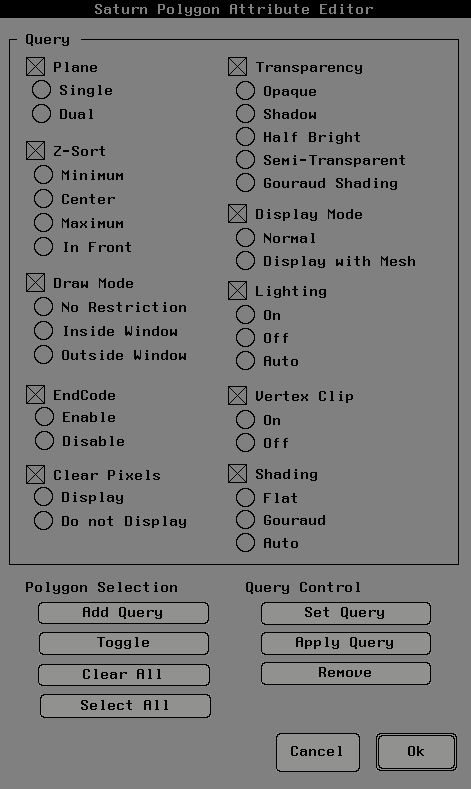
Please refer to the SGL manual for the terms of each item.