SOUND ManualSCSP / DSP Assembler User's Manual
BackForward
SCSP / DSP Assembler User's Manual

2. Menu structure


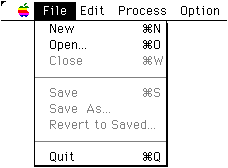
■ File menu

New
Open a new source file.

Open ...
Select (enter) the file name from the standard file dialog to open the source file of the microprogram.

Save
Save the file currently being edited with the same file name.

Save As ...
Saves the file currently being edited as a separate file. Specify the file name in the standard file dialog.

Revert To Saved
Returns the source file currently being edited to the state it was in before it was edited.

Close
Closes the currently loaded source file. A warning will be issued if there is a change history and it has not been saved.

Quit
Exit the assembler.

caution
In dAsms, the attributes of related files are managed by the extension of the file name (considering the Windows version). For this reason, the source code must have the extension ".USC". The "Assemble ... " command is disabled for source files that do not have this extension.


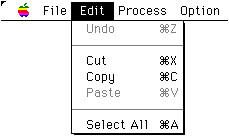
■ Edit menu

Undo, Cut, Copy, Paste, SelectAll
Make the above standard edits to the source text.


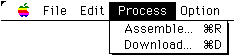
■ Process menu

Assemble ...
Enter the file name of the executable file and assemble the source file currently being edited. The default file name is the main file name of the source file with the extension ".EXC" added.

Download ...
Download the assembled executable file to SCSP via SCSI. In the standard file dialog, select the file you want to download and run it. If the program you are currently editing is ready for execution (assembled), this is the default file name.


■ Option menu

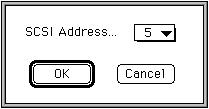
SCSI ID
dAsms automatically recognizes the SCSI ID of the development hardware (board) when you first execute Download after startup, and then sends and receives data to that SCSI ID. Therefore, you usually do not need to use this command.

warning
The development hardware (board) SCSI ID must be set to a different number than all other connected SCSI devices. If the settings are incorrect, problems such as data loss on the SCSI device may occur.


BackForward
SOUND ManualSCSP / DSP Assembler User's Manual
Copyright SEGA ENTERPRISES, LTD., 1997