 ★ HARDWARE Manual ★ VDP1 User's Manual
▲ Back | Forward ▼
VDP1 User's Manual / Chapter 1 Functions of VDP1
● Non-textured parts
- Unlike textor parts, non-texture parts do not require the original picture, so VRAM is not frequently accessed from VDP1.
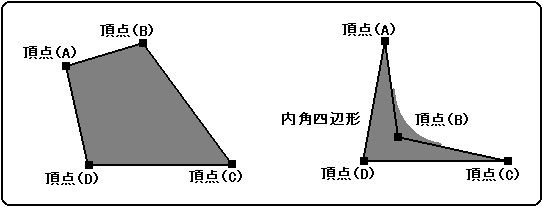
- ◆ Polygon
- Draw a rectangle. Specify four vertices and fill the plane surrounded by four points with a single color. 4 points can be specified arbitrarily.
The color is specified as a non-texture color.
Draw polygons as diagonal lines. At this time, fill in the holes so that there are no missing pixels. As a result, pixels written twice are generated, so the results are not guaranteed for translucent processing of color operations.
You can also draw an internal angle rectangle. However, when filling, it is drawn with lines, so it may extend outside the rectangle.
Figure 1.7 Polygon
- ◆ Polyline
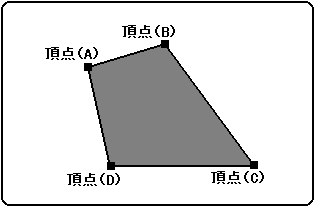
- Draw a quadrangle by connecting four straight lines. Specify four vertices and draw a line connecting the vertices in order. Unlike polygons, it does not fill a plane surrounded by four points. 4 points can be specified arbitrarily.
The color is specified as a non-texture color.
Since four lines are drawn, pixels are drawn twice near the vertices where the lines overlap. Therefore, the result is not guaranteed for translucent processing of color calculation.
Figure 1.8 Polyline
- ◆ Line
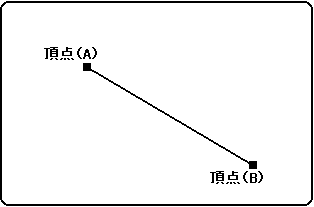
- Draw a line in a single color between the two point coordinates. The color is specified as a non-texture color.
Figure 1.9 Line
▲ Back | Forward ▼
★ HARDWARE Manual ★ VDP1 User's Manual
Copyright SEGA ENTERPRISES, LTD., 1997