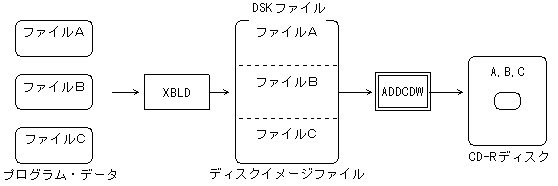
3.1 Burning a disk image
- You can burn disc images created with CD Builder to discs.
Figure 3.1 Burning a disk image
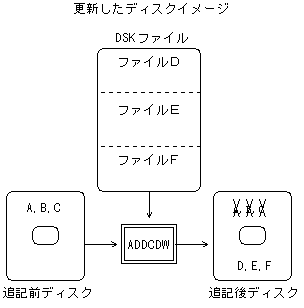
3.2 Full disk update
- You can add a new disc image to the disc.
Figure 3.2 Disk update
3.3 Partial update of optical disc
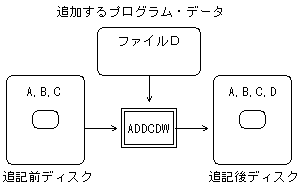
- (1) Add file
- You can add new programs and data to the disc.
Figure 3.3 Adding a file
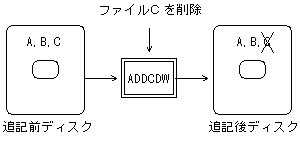
- (2) Delete file
- You can delete programs and data on the disc.
Figure 3.4 Deleting files
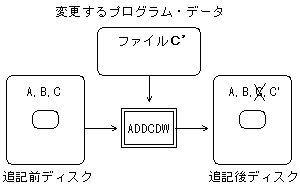
- (3) File replacement
- You can replace programs and data on disk.
Figure 3.5 File replacement
3.4 Writing on the fly method
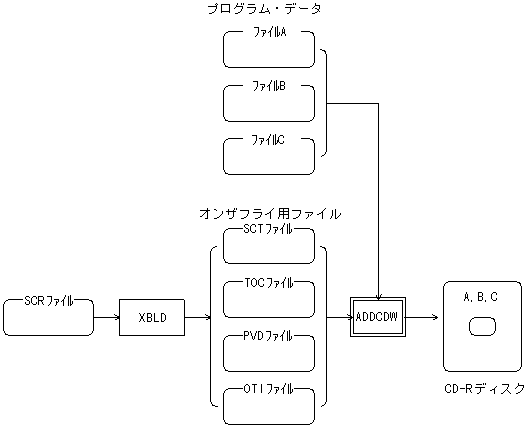
- By linking with the CD builder XBLD, you can write on the fly without the need for a disc image file.
XBLD analyzes the disk structure from the SCR file (script file) and outputs the PVD file, SCT file (sector information file), OTI file (interleaved intermediate file for on the fly), and TOC file.
ADDCDW writes to a CD-R disc while creating a sector image of the disc from these files and the source file of the program data. Figure 3.6 On-the-fly writing image