 ★ SGL User's Manual ★ PROGRAMMER'S STRUCT
▲ Back | Forward ▼
PROGRAMMER'S STRUCT 8. Scroll
Scrolling refers to 2D graphics that are mainly used for game backgrounds and text display. There are other 2D graphics in SGL called sprites, but sprites are mainly used to represent moving objects, and scrolls are mainly used to represent stationary objects.
<Fig. 8-1 Scroll usage example> 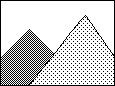 | + | 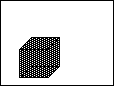 | = = | 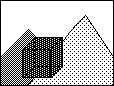 |
|---|
| a) Scroll (background) | | b) Polygon (moving body) | | c) Actual drawing |
|---|
Note) In this example, the scroll is displayed behind the polygon plane.
8-1. Scrolling in SGL
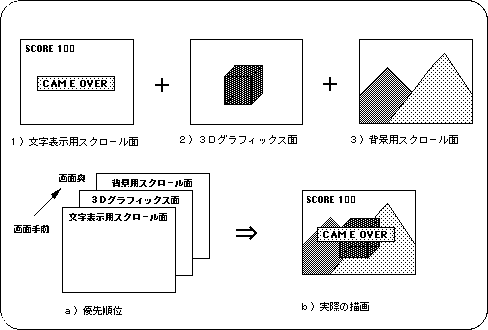
- In SGL, multiple scroll planes can be displayed on top of each other on one screen. This makes it possible to draw, for example, a scroll surface for displaying characters on the front, a polygon surface in between, and a scroll surface for the background on the back.
These drawing priorities are called priorities, and it is possible to set drawing priorities for each display surface of scrolls, sprites, and polygons ( see “8-11 Priority ” for details on priorities). <Fig. 8-2 Screen configuration example>
▲ Back | Forward ▼
★ SGL User's Manual ★ PROGRAMMER'S STRUCT
Copyright SEGA ENTERPRISES, LTD., 1997