 ★ SOUND Manual ★ Sound Simulator Manual
▲ Back | Forward ▼
Sound simulator manual
Function key settings
- Select this to display the following window.
Assign each function of the sound driver to the [Q], [W], [E], [R], [T], [Y], [U], and [I] keys on the numeric keypad 1 to 8 and the full key. ..
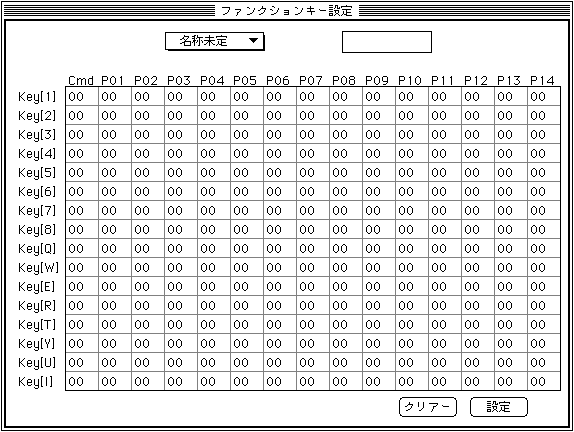
- Pop-up menu (insert function key pop PICT here)
- Add or change the function key table.
- Edit text
- The edit text at the top is for renaming the table.
Click the parameter you want to change and the edit text for changing the parameter will appear. Change the parameter there.
The edit text for changing parameters can be moved with the cursor keys. - clear
- Returns all table data to the initial value. (0)
- Configuration
- Set the current table as the table in use and exit this dialog.
▲ Back | Forward ▼
★ SOUND Manual ★ Sound Simulator Manual
Copyright SEGA ENTERPRISES, LTD., 1997