★ Graphic Tools Guide ★ MAP / SCREEN Editor User's Manual
▲ Back | Forward ▼
MAP / SCREEN Editor User's Manual
■ Editing the map
- Character data is placed on the template. Specify this and place it on the map with the pencil tool / rectangle tool.
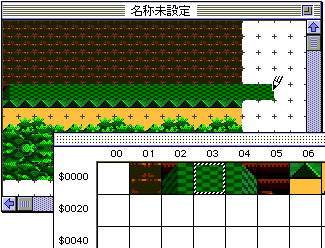
- It is also possible to select multiple characters on the template at once by dragging and place them in the map window.
- In addition, specify the range with the rectangle selection tool / selection tool on the map window, and set various flags in combination with Copy & Paste, rearrangement change, or Flag menu.
- If you want to reflect the imported image data on the map as it is, register the image data as a character in the CG window, then copy the data in the CG window as it is and paste it in the map window. By sorting the characters after following these steps in advance, the trouble of reassembling the characters that have been separated by sorting can be reduced to some extent.
- ● H inversion, V inversion
- Change the layout of the map data in the selected range, and set / cancel the H / V inversion flag. The map data with the flag set is highlighted according to the setting contents.
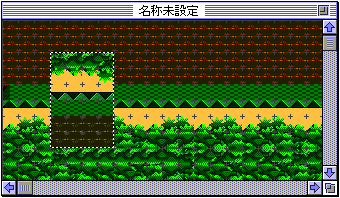
- ● Special priority, special color calculation
- Set or cancel the special priority and special color calculation flag of the selected range. In addition, there is a mode to display each setting result in "Display" of the option menu.
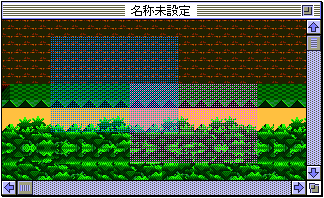
- * Blue: Special priority setting part / Red: Special color calculation flag setting part
- ● Palette ...
- A palette is assigned to the map data for each character.
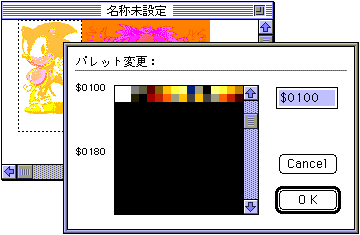
After specifying the range in the map window, specify "Palette ..." in the image menu to display the dialog for changing the palette. Enter the start address of the palette numerically, or click the relevant part of the palette list to select the palette to change. - * The unit of the address that can be selected ($ 10 / $ 100) is determined by the color mode at the time of initial setting.
▲ Back | Forward ▼
★ Graphic Tools Guide ★ MAP / SCREEN Editor User's Manual
Copyright SEGA ENTERPRISES, LTD., 1997