Graphic Tools GuideSega Painter User's Manual /
BackForward
Sega Painter User's Manual / 3. Tool Palette

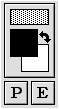
■ Box

 Pattern display box ← 
 → Foreground / background exchange switch
 Foreground display box ←
 → Background color display box
 Layer changeover switch ←

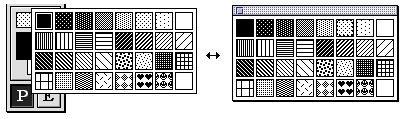
● Pattern display box
Specify the drawing pattern with the popup palette.
The palette can be teared off to create a floating window (pattern window).

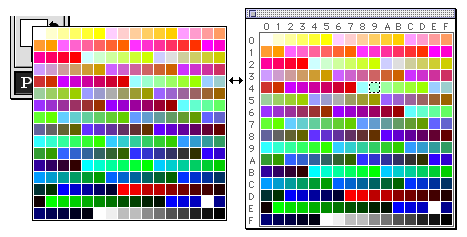
● Foreground color display box
● Background color display box
Specify the foreground color or background color with the pop-up palette.
The palette can be teared off to create a floating window (palette window).

● Foreground / background exchange switch
The background color is exchanged with the foreground color.

● Layer changeover switch
Toggle between the Paint layer and the Edit layer.
The edit layer is used for registering animation data.
(See " 5. Animation " for details)


BackForward
Graphic Tools GuideSega Painter User's Manual /
Copyright SEGA ENTERPRISES, LTD., 1997