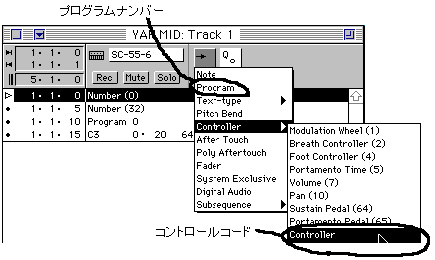
The example of VisionAV is shown below, but it is basically the same for other sequence software. Figure 2-31 Example of inserting control code using Vision AV
In the case of control code, click the position of the inserted control code with the mouse and set 0 and 32 as shown below. Figure 2-32 Control code settings
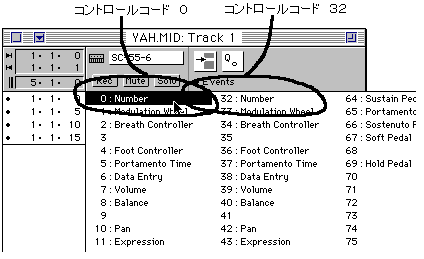
This software is "Number (0)", but some Japanese version software is "Control (0)".
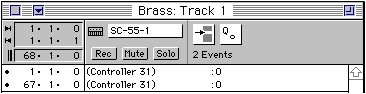
There is also software that does not have a pop-up menu and the number goes up or down when you move the mouse to the position of () and click it. In addition, to loop the song with BGM etc., it is possible by inserting the 0 number of the control code 31 at the beginning and end of the loop. Loop information only needs to be stored in one track, so if you create a track that contains only loop information, it will be easier to understand later. The following is an example. Figure 2-33 Example of a track for loop information
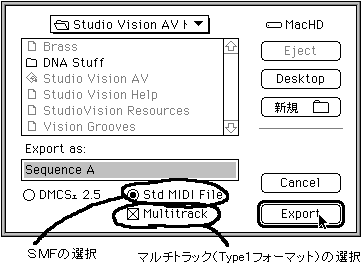
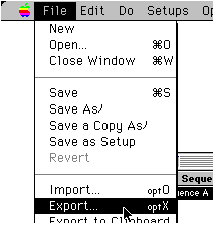
The MIDI event insertion method is exactly the same as the control code insertion example. keep Save is a multi-track SMF file. First, select Export from the File menu. Figure 2-34 Saving (exporting) a file
Next, the following screen will be displayed. Specify SMF and Type1 format. Figure 2-35 Settings when saving (exporting) a file